To prepare instructions for your virtual assistant, write a short sheet for each task: the expected result, when it needs to be done, the steps, the tools, the rules to follow, when the assistant should come back to you, and an example of good work. Plan on about thirty minutes per task. You don't need perfect processes: a screenshot or a voice message beats a long document you'll never write. At Wepeps, we've been helping business owners delegate since 2012. Here's the method we use when we start.
Why prepare your instructions before you delegate
When delegation goes wrong, the assistant is rarely the cause. It's almost always an expectation that stayed in the owner's head: the tone to use, which customer comes first, the line not to cross. Without instructions, your assistant guesses, or asks you ten questions a day. With a clear sheet, she works on her own from the first week, and you really get your time back.
One note: you don't need to prepare anything for the discovery call. A list of what's weighing on you is enough. The instructions come later, during scoping and the first few weeks. And if you have nothing in writing, we build them with you: that's what scoping is for, as explained on our page how to delegate to a virtual assistant.
Step 1: choose the first tasks to delegate
For one week, write down every task that keeps coming back: what it is, how often it happens and how much time it takes you. Then pick 3 to 5 tasks to start with. The best first tasks are repetitive, with a result that's easy to check:
- answering your most common customer emails;
- following up on quotes that haven't been answered;
- updating your CRM after every meeting;
- preparing the Monday tracking sheet;
- managing your calendar and confirming meetings.
Keep tasks that need a lot of judgment or deep knowledge of your customers for later: they'll come once your assistant knows your business. For more ideas, see what a virtual assistant can do for you.
Step 2: fill in an instruction sheet for each task
One sheet per task, one page at most. Here are the 7 sections to fill in.
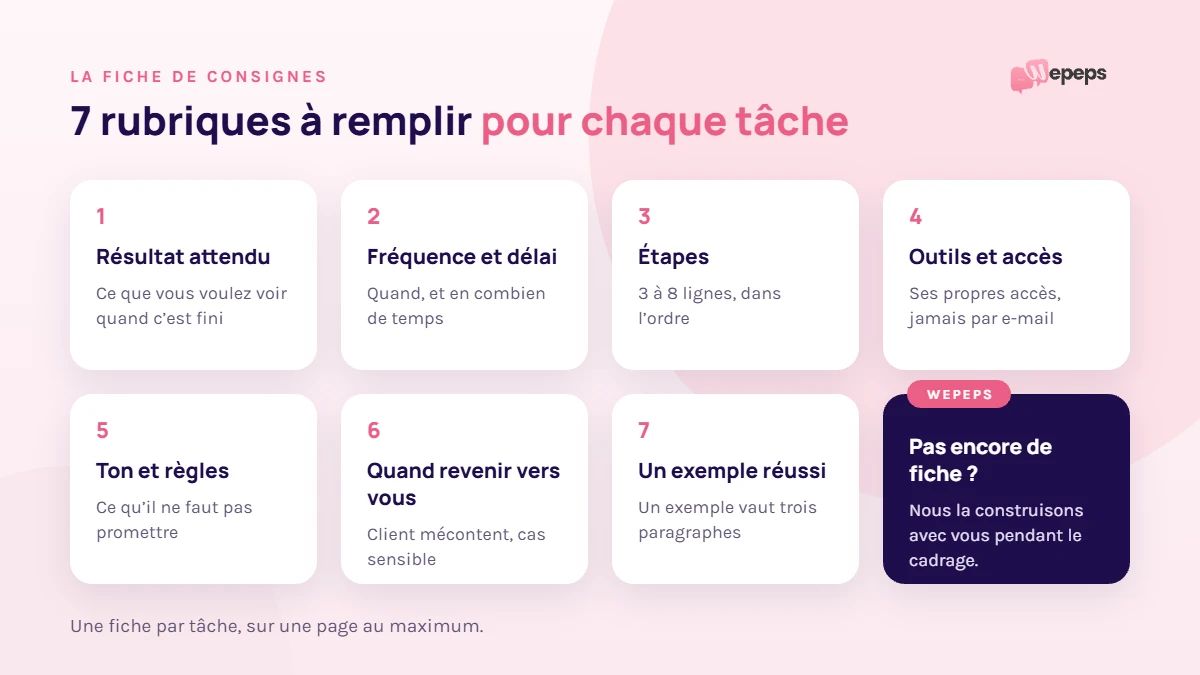
1. The expected result
Describe what you want to see when the task is done, not just the action. "Follow up on quotes" is vague. "Every quote with no reply after 7 days gets a follow-up, logged in the CRM" is clear.
2. Frequency and deadline
Every day, every Monday, with every new order? And how fast: a reply to customers within the day, a tracking sheet ready before 9 a.m.?
3. The steps
List the steps in the order you do them, in 3 to 8 lines. No need to spell out everything: focus on the spots where mistakes happen fast.
4. Tools and access
List the tools involved (email, CRM, calendar, invoicing software) and the access she'll need. More on this below: never share a password by email.
5. Tone and rules
Formal or casual tone, signature, phrases to avoid, and above all what not to promise: a refund, a delivery date, a goodwill gesture.
6. When she comes back to you
This is the most useful section. Say when your assistant should stop and ask you: an unhappy customer, a legal question, a request that's out of the ordinary. Everything else, she handles on her own.
7. An example of good work
Attach a piece of work you think is perfect: a great reply to a customer, a well-filled CRM record, a clear tracking sheet. One example beats three paragraphs of explanation.
A sample instruction sheet you can copy
Here's a filled-in sheet for a common task. Copy it, then adapt it to your own tasks.
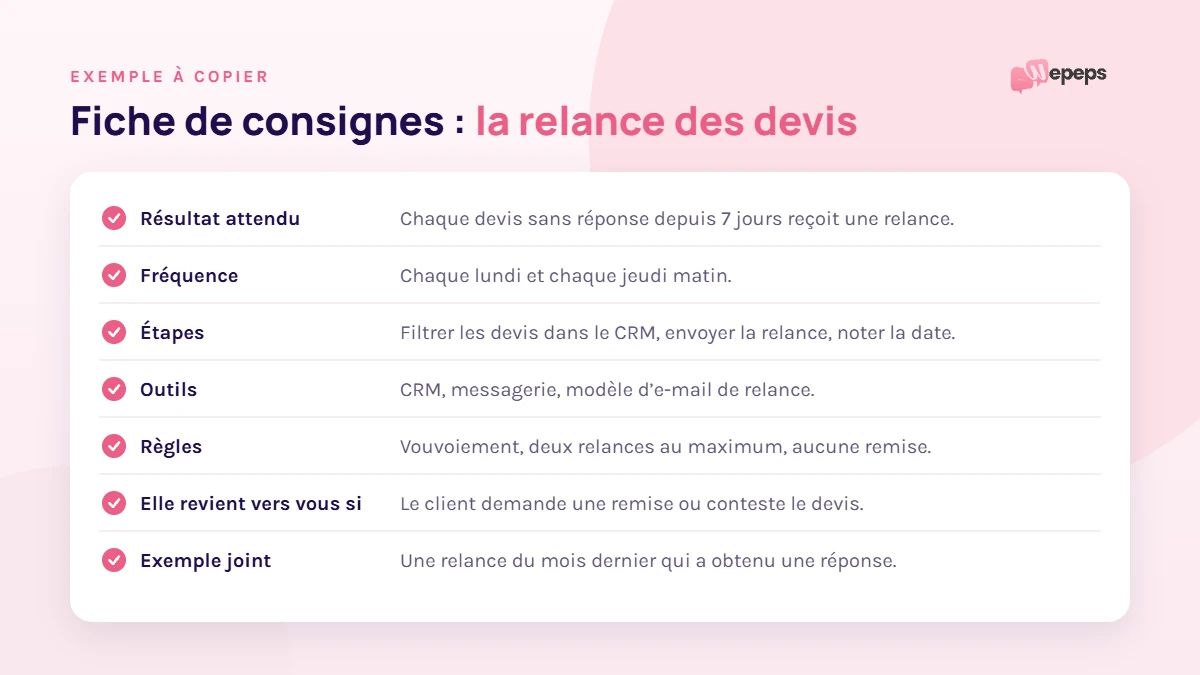
- Task: following up on quotes.
- Expected result: every quote with no reply after 7 days gets a follow-up.
- Frequency: every Monday and Thursday morning.
- Steps: filter quotes older than 7 days in the CRM, send the follow-up template, log the follow-up date.
- Tools: CRM, email, follow-up email template.
- Rules: formal tone, two follow-ups at most, no discount offered.
- She comes back to you if: the customer asks for a discount or disputes the quote.
- Example attached: a follow-up from last month that got a reply.
Show instead of writing
Don't like writing procedures? Show the task once: record your screen while you do it, talking it through out loud. A five-minute video often replaces two pages of text. Add your email templates and a few screenshots, and your assistant has what she needs.
With Wepeps, you don't have to write everything up yourself. During scoping, we start from what you already have (a video, emails you've sent, a few notes) and we build the instructions with you.
Access: share without taking risks
- create an account in her name in each tool when you can, instead of lending her yours;
- for your inbox and calendar, use the delegation feature built into your email: Gmail and Outlook both offer it;
- for passwords, use a password manager that supports sharing, never email or chat messages;
- give only the permissions the task requires;
- keep track of who has access to what, so you can remove everything in a few minutes if needed.
At Wepeps, you're the one who grants access, and you can remove it whenever you want. A confidentiality agreement can also be signed from day one.
The first few weeks: adjust your instructions
A sheet is never perfect on the first try. In the first few days, review your assistant's work and note what doesn't suit you. Every correction goes into the sheet: that's how the mistake doesn't come back.
At Wepeps, a supervisor checks quality with your assistant, and you get a written update every Friday on what's done, what's moving forward and what's blocked. Our guide the 4 steps to get started in 7 days explains this follow-up in detail.
Frequently asked questions
No. A list of tasks and a few examples are enough to start. The instructions get sharper over the first few weeks, as corrections come in.
Plan on about thirty minutes per task for a first version. With a screen recording, it's often faster.
Your working language, English or French. Your assistant then replies to your customers in the language agreed on during scoping.
Show her the gap with an example, then update the sheet. If the gap comes back, the instruction usually isn't precise enough. With Wepeps, the supervisor also follows these corrections.
Avoid sending them by email or chat. Set up her own access, or use a password manager that supports sharing. That way, you can remove everything in a few minutes.
Let's talk about what you could delegate
In thirty minutes, we look at your tasks together, which ones can go first and how to hand them off. Depending on your needs, your assistant handles customer service, lead generation and meeting booking, or operations support.