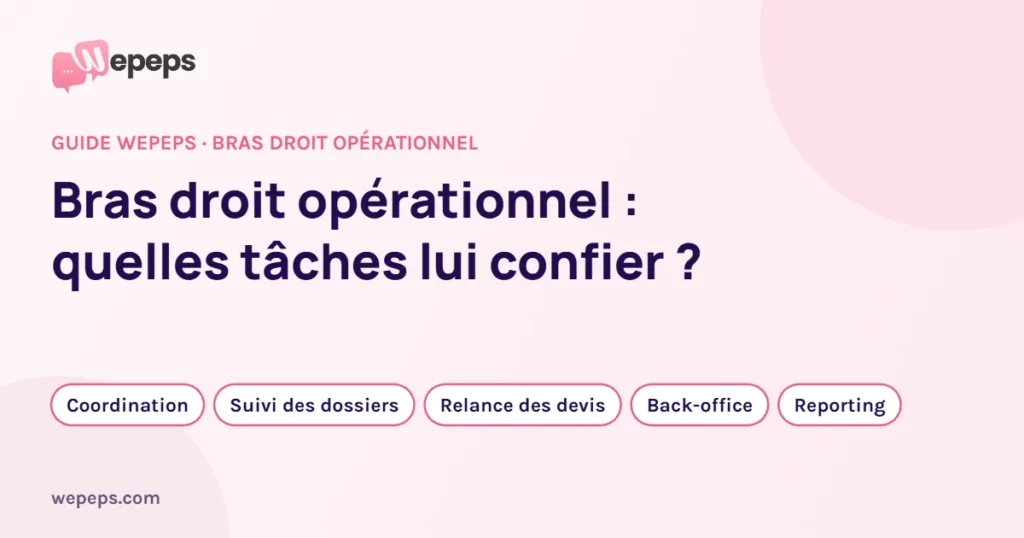
An operations right hand takes on everything that moves your business forward without needing your expertise: project coordination, client file follow-up, chasing quotes and payments, back office work and the weekly report. You keep the decisions, the strategy and your relationships with key clients. At Wepeps, we've been doing this work since 2012, and the operations right hand is one of our three services.
Here are the tasks to hand over, and a simple way to choose the first ones.
What is an operations right hand?
An operations right hand is more than someone who carries out tasks. They keep track of everything: where each project stands, who needs a reminder, and what's about to slip, before a delay becomes a problem. The difference from an assistant who handles one-off tasks is continuity. They follow each topic from week to week.
The tasks to give an operations right hand
Project coordination
This is the heaviest task, and the one most business owners think they have to keep. Your right hand keeps the schedule up to date, reminds everyone of deadlines, connects your team, your contractors and your clients, and tells you when something is going off track.
Client file follow-up
From first contact to delivery, every client file has its steps: documents to collect, approvals to get, access to request, meetings to book. Your right hand tracks each file, follows up with clients who are slow to reply and keeps a clear record. When a client calls, you know in ten seconds where their project stands.
Following up on quotes and payments
A quote sent without a follow-up is often a lost quote. Your right hand tracks every quote, follows up at the right time and flags the ones that are stuck. They do the same for late invoices, in the tone you've chosen.
Back office
Orders, suppliers, invoices, updates to your CRM and spreadsheets: precise work where a mistake is costly. With clear instructions, your right hand handles it every day, so you no longer catch up on weekends.
The weekly report
At the end of each week, your right hand prepares a short update: what's done, what's moving, what's blocked, and the numbers you track. You run your business with a clear view instead of piecing the week together from memory.
Calendar, inbox and processes
Your right hand sorts your inbox, answers what doesn't need your input and books your meetings. They also write down how things are done as the work goes on, so nothing depends on a single person, not even you.
How to choose the first tasks: 4 questions
You don't hand everything over on day one. With a right hand, the best starting point isn't the easiest task but the one that holds your business back the most. Run each of your tasks through these four questions.
- Does it come back every week? A repeated task is worth explaining once and for all.
- Is someone waiting on you? A client waiting for an answer, a contractor waiting for approval: these tasks slow everyone down.
- Is it costly when it's forgotten? A quote nobody followed up, an invoice never sent, a missed deadline.
- Could someone else do it with written instructions? If yes, the task can go.
A task that ticks three of the four boxes is a good place to start. To explain it without missing anything, our guide Instructions for a virtual assistant gives a template to fill in for each task.
What stays with you
Delegating operations doesn't mean letting go of everything. You keep:
- Decisions : what you accept, decline or prioritize.
- Strategy : your offer, your pricing, your growth.
- Key clients : the relationships that matter most.
- Your expertise : the core of your work, the reason clients pay you.
Your right hand prepares, tracks and follows up. You decide.
Depending on your business
- Web or digital agency : chasing clients for content, access and approvals, and keeping the project schedule up to date. More on web agencies.
- Training organization : invitations, learner files, funding paperwork and quality audit preparation. More on training organizations.
- Software company : an up-to-date CRM, booked demos, trial accounts and failed payments followed up. More on SaaS and tech products.
- Online store : order back office, supplier follow-up and, if needed, ecommerce customer service.
How to get started
- List your tasks: our guide Instructions for a virtual assistant explains how, step by step.
- Keep the ones that tick the most boxes among the 4 questions above.
- Gather access and templates: tools, standard documents, sample emails.
- Set a check-in: one meeting a week is enough at first.
With Wepeps, you don't hire anyone. Your dedicated assistant starts 7 days after you agree, trained on your tools, and a supervisor oversees the work. Every Friday, you receive a written update on what's done, what's moving and what's blocked. There's no long-term commitment, with 15 days' notice. Full details are on our Operations support page and on How it works.
Frequently asked questions
An administrative assistant handles tasks. An operations right hand follows topics over time: they coordinate, follow up and alert you. Both can be the same person; the difference lies in what you hand over.
Yes. They work in your tools (email, CRM, project management tool, shared calendar) with the access you give them. Our assistants work from Antananarivo, Madagascar, in French or English, during your office hours, including Québec business hours.
No. Writing down how things are done is part of the role. At first, you only need to explain each task once, with an example.
One that comes back every week and keeps someone waiting, such as client file follow-up or quote follow-up.
No. You can start part-time and adjust the volume as your needs change.
Let's talk about what you could hand over
Is everything going through you, and holding your business back? Book a 30-minute discovery call: we look at your tasks together and tell you honestly what a right hand can take on for you.